1. Request Tax Information (for a specific contact)
This feature allows you to request tax information from existing contact.
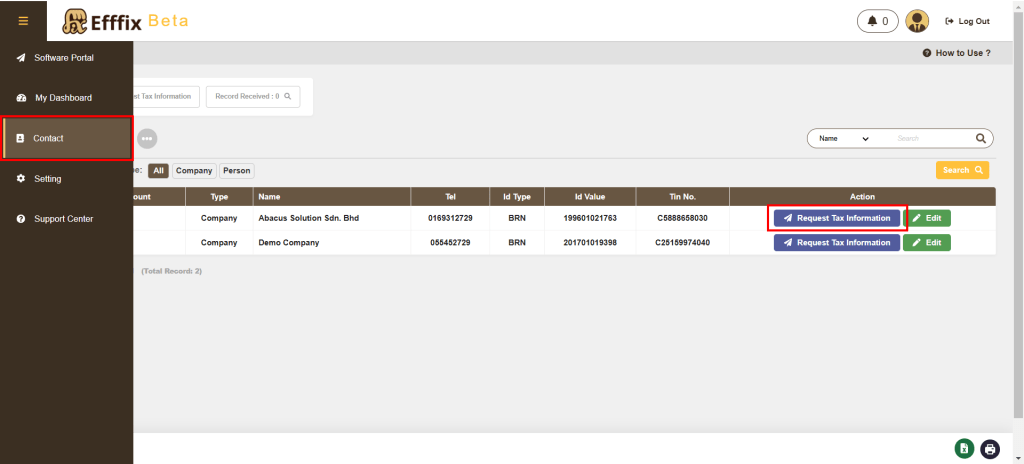
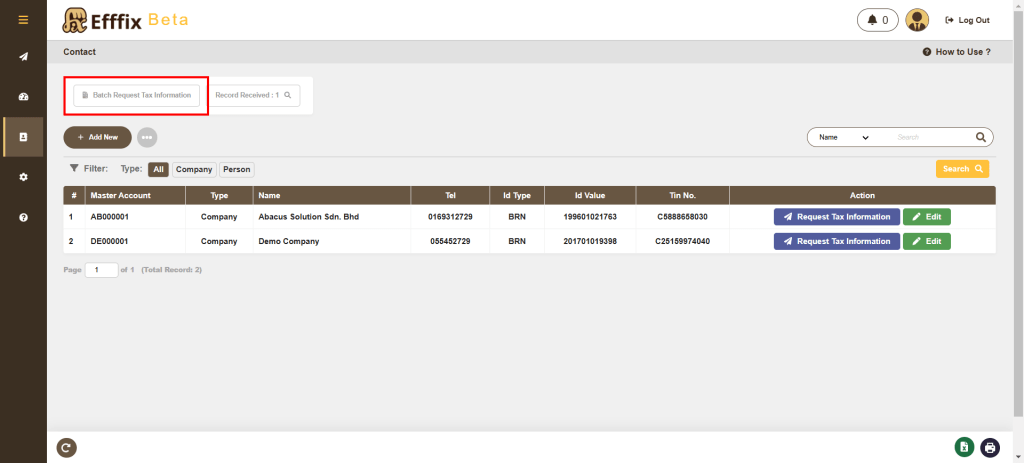
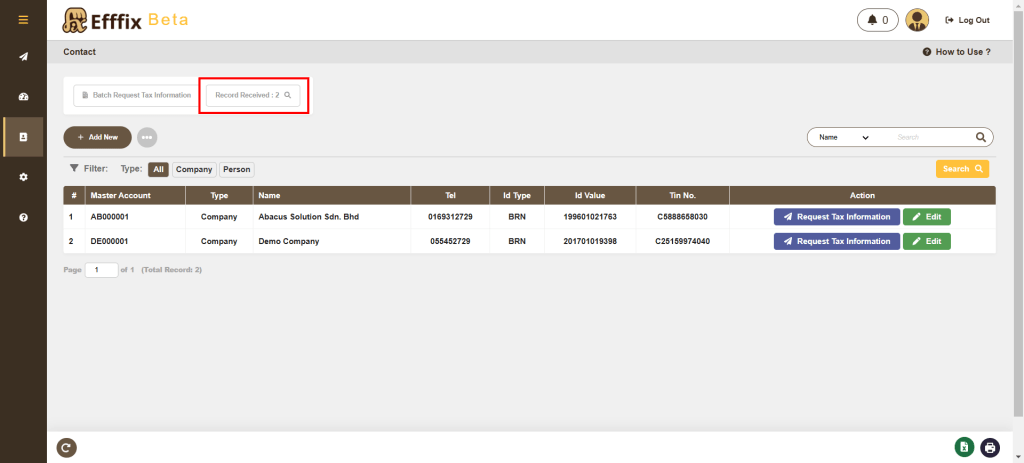
a. Navigate to the Contact page and click Request Tax Information.
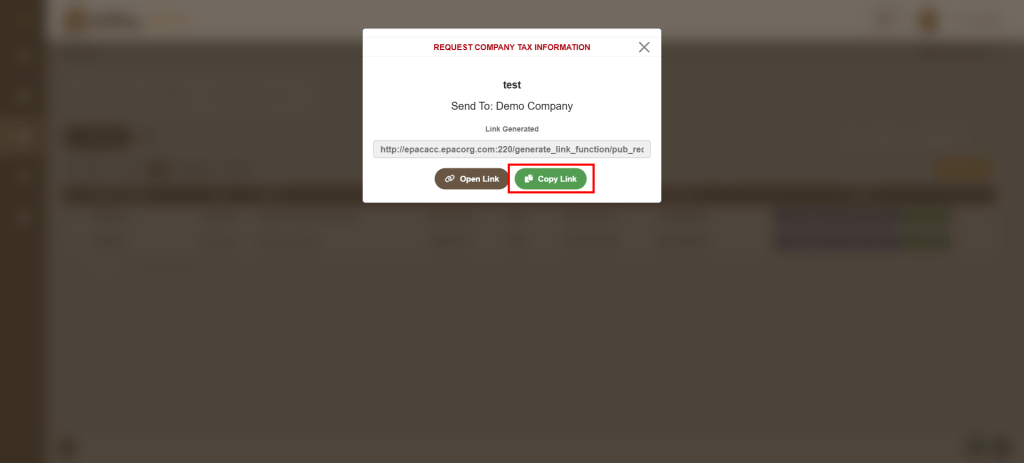
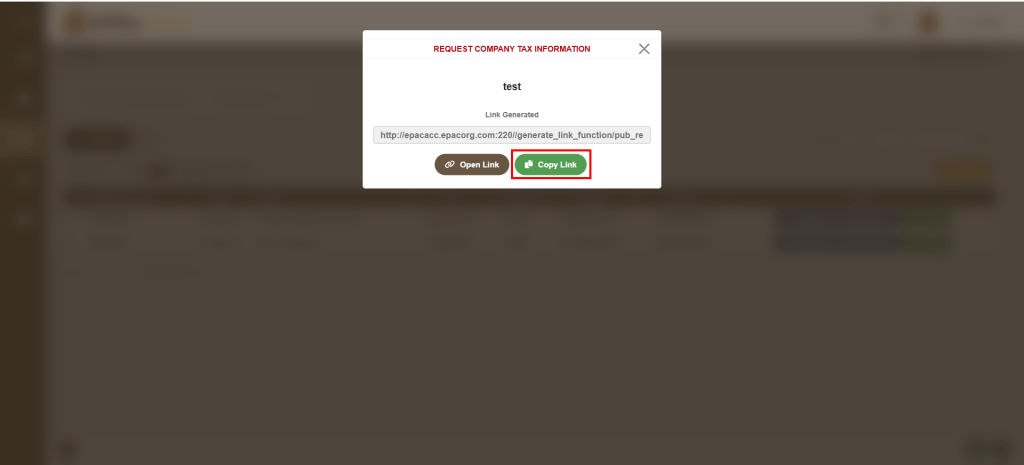
b. Click Generate Link, then click Copy Link and share the link directly with the specific client.
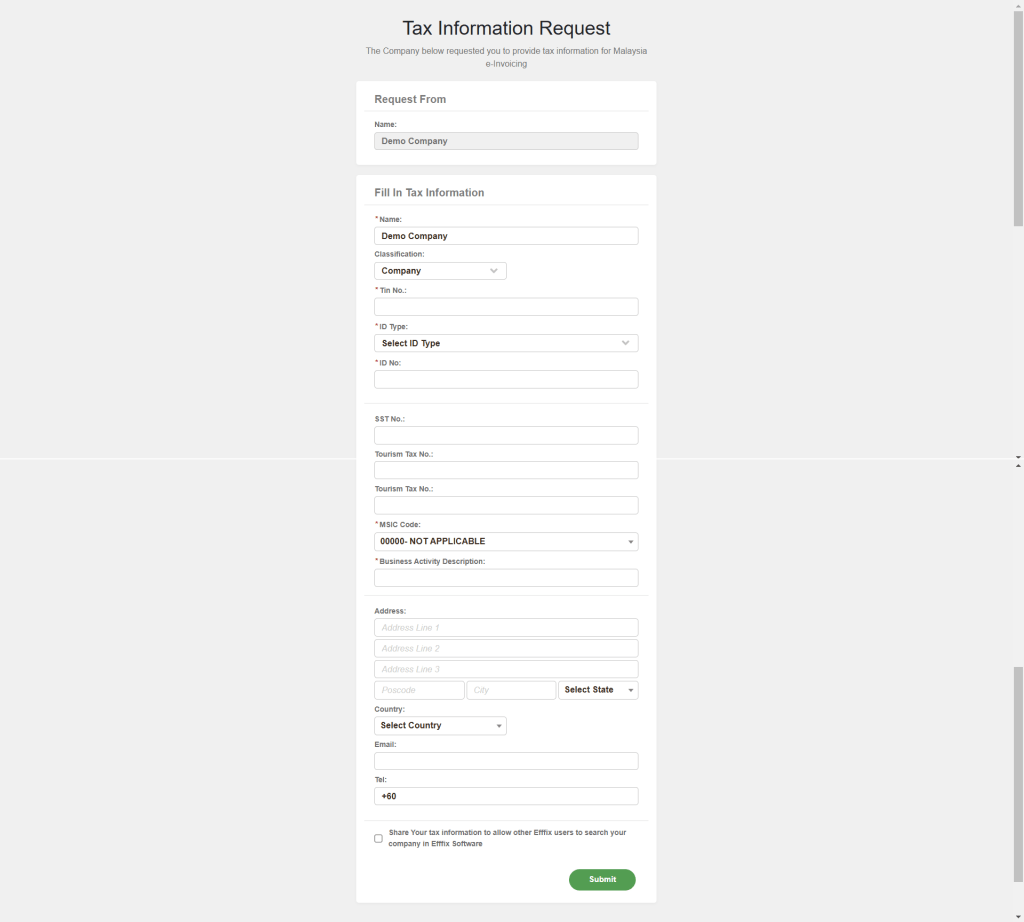
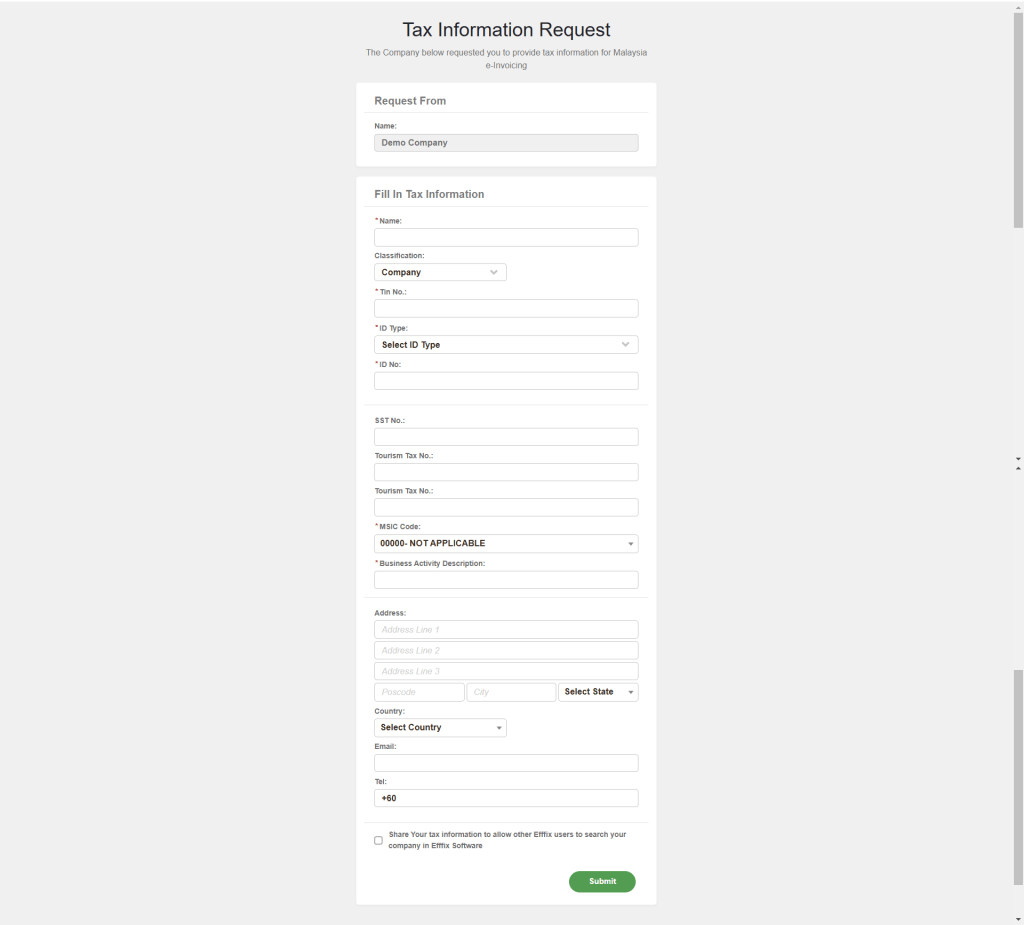
c. When clients click the link, they will be redirected to the Tax Information Request page, where they can fill in the information.
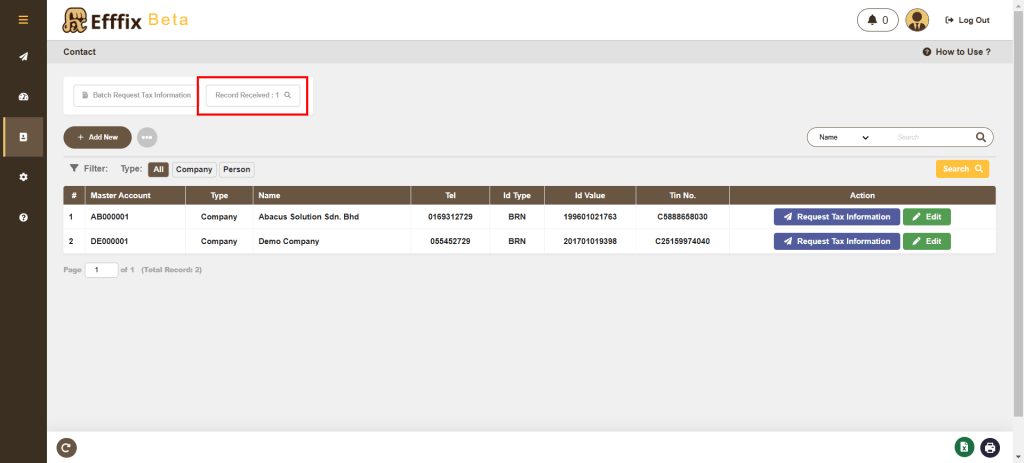
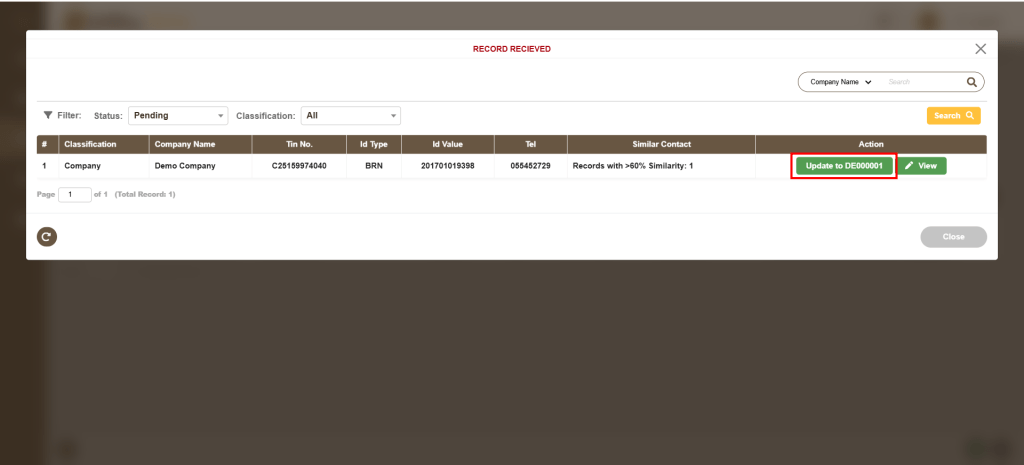
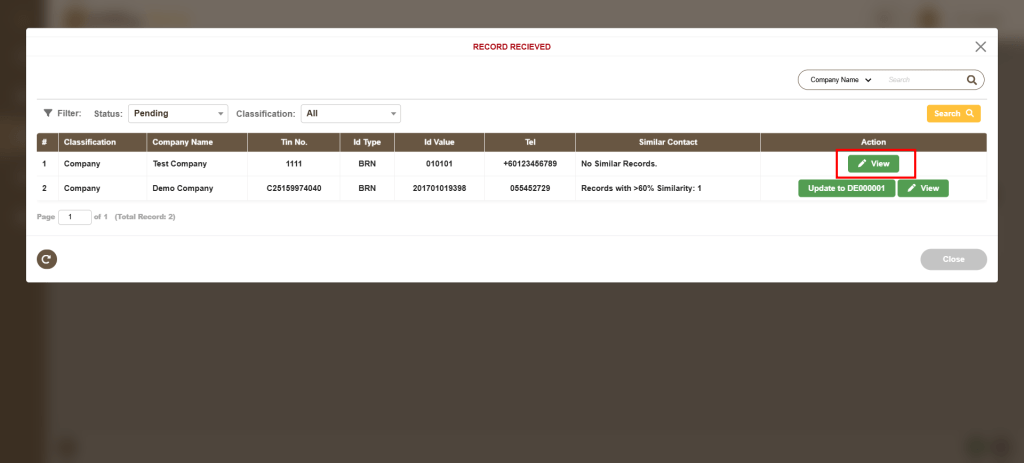
d. Once submitted by the client, the completed information will be displayed under Record Received.
e. The details for a specific contact can be updated by clicking Update To.
2. Batch Request Tax Information (for existing or new clients)
This feature allows both existing and new clients to fill in and submit their information.
a. Navigate to the Contact page and click Batch Request Tax Information.
b. Click Generate Link, then click Copy Link and share the link directly with your clients.
c. When clients click the link, they will be redirected to the Tax Information Request page, where they can fill in the information.
d. Once submitted by the client, the completed information will be displayed under Record Received.
e. Review the entries:
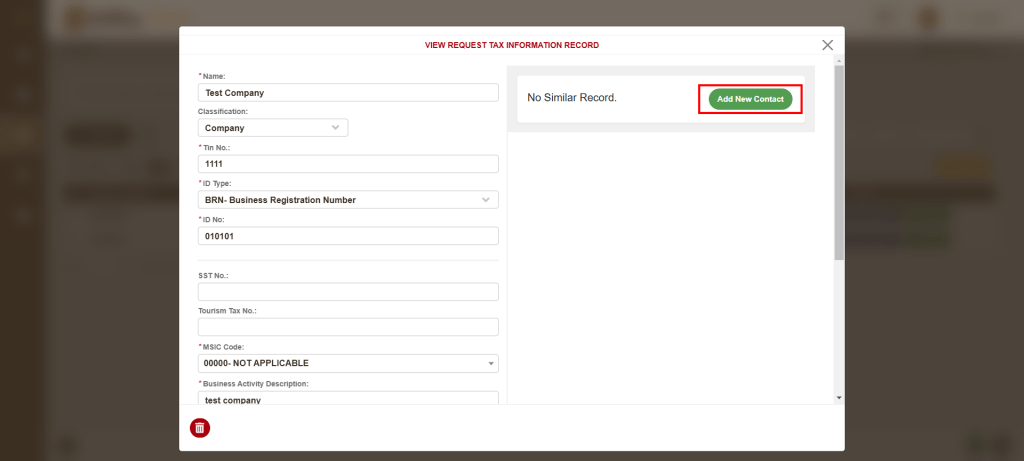
In Record Received, click View to see the details submitted by the client.
– If the system shows No Similar Record, you can click Add New Contact to save the entry.
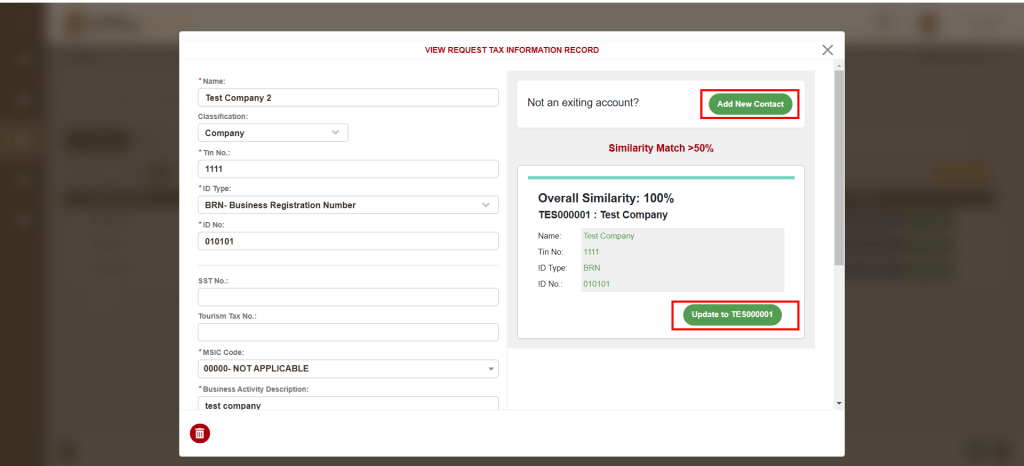
– If a Similar Contact exists, you can choose to either click Update To to update the specific contact (existing record), or click Add New Contact to create a new entry.